How to Edit a Series
Want to update voice, visuals, or schedule for an existing series? You can easily edit any series you've created. You can also enable/disable or delete it entirely.
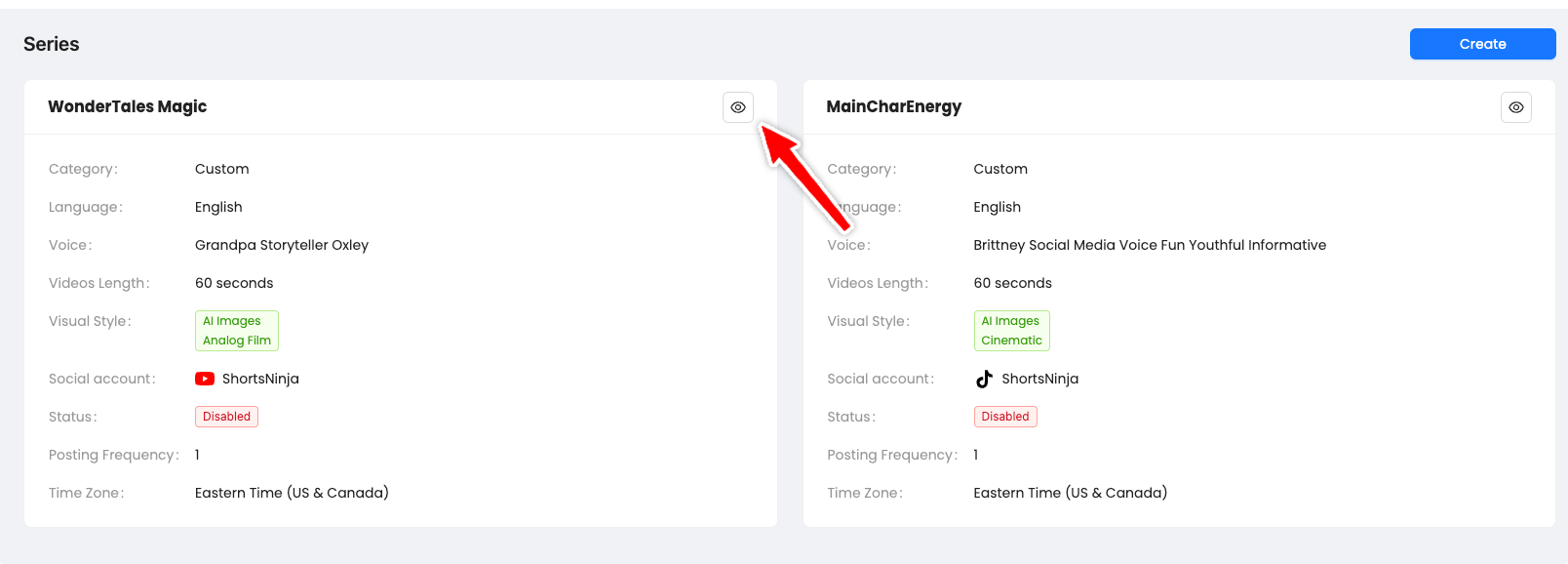
Step-by-Step: Editing a Series
Go to the Series tab from the left menu.
Find the series you'd like to edit.
Click the eye icon in the top-right corner of the card.
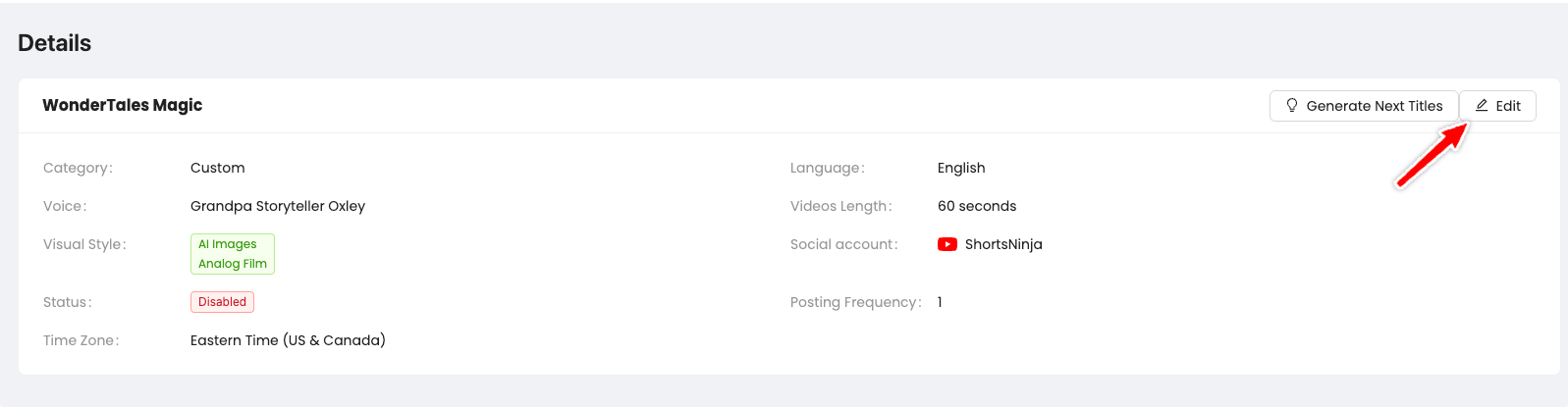
Click the Edit Button
Once you’re in the detailed view, click the ✏️ Edit button in the upper-right corner of the Details section.
This opens the full editing form, just like when you created the series.
Additional Series Actions
Inside the editor, you’ll also see:
✅ Enable / Disable Toggle
Turn off a paused series or restart it.
⚠️ If you re-enable a disabled series, new publishing dates will be recalculated starting from tomorrow.
🗑 Delete Button
Permanently deletes the series (irreversible).
Was this helpful?
Still need help? Ask the team