Videos List
The Videos tab gives you full visibility and control over all the content you’ve created or scheduled. From publishing status to favoriting, this is your hub for quick video management.
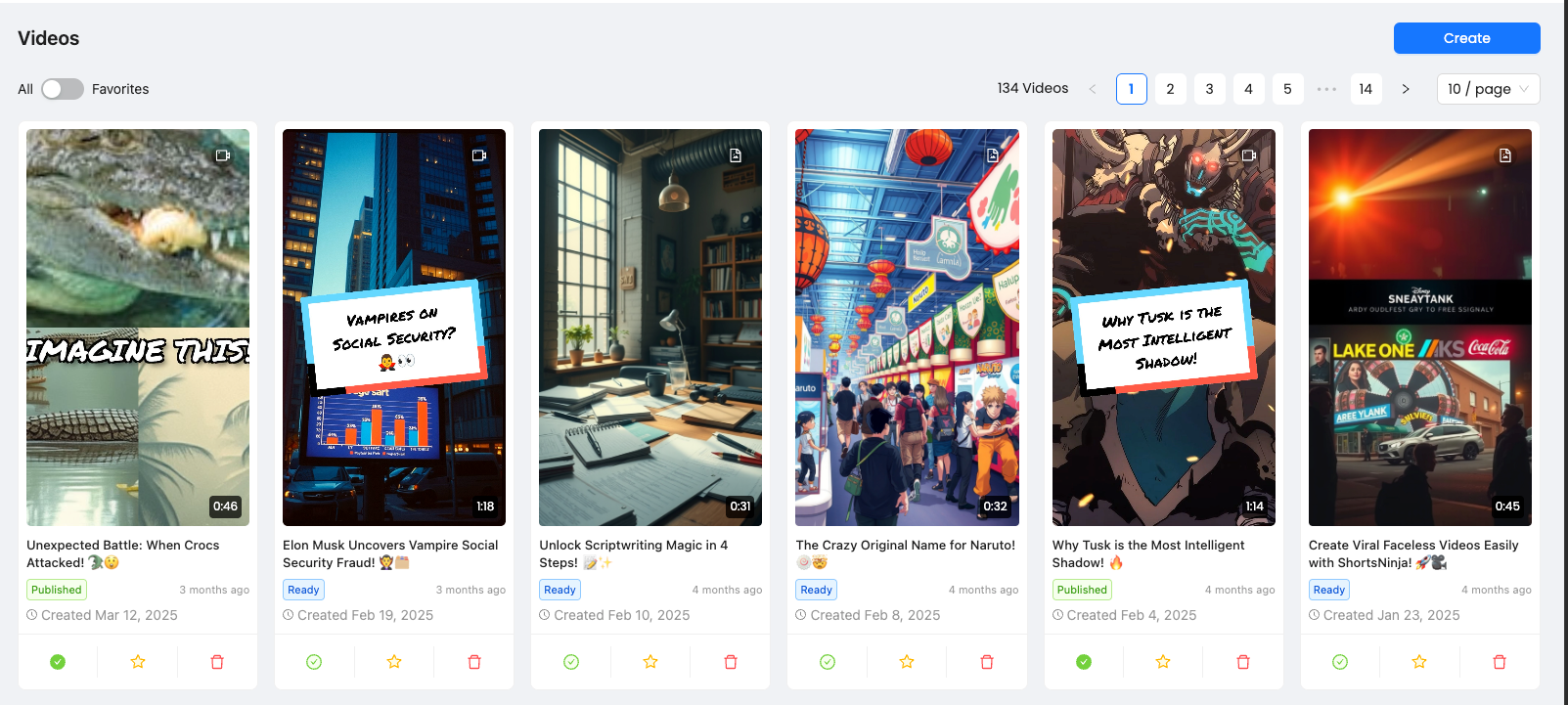
✅ What You Can Do
Mark Videos as Published
Use the ✅ checkmark icon below a video to manually mark it as published.
This is useful if you've posted it manually or outside of an automated series.
Mark as Favorite
Click the ⭐ icon to add a video to your Favorites list.
This is a great way to bookmark standout videos, campaigns, or ones you want to repost later.
Delete a Video
Click the 🗑️ trash icon to remove the video from your list permanently.
Warning: This action is irreversible.
🔍 View Filter: All vs. Favorites
Use the toggle at the top left to switch between:
All videos (default view)
Favorites only — shows just your starred videos
Perfect for quickly reviewing or reposting your best work.
Was this helpful?
Still need help? Ask the team