Captions Styling
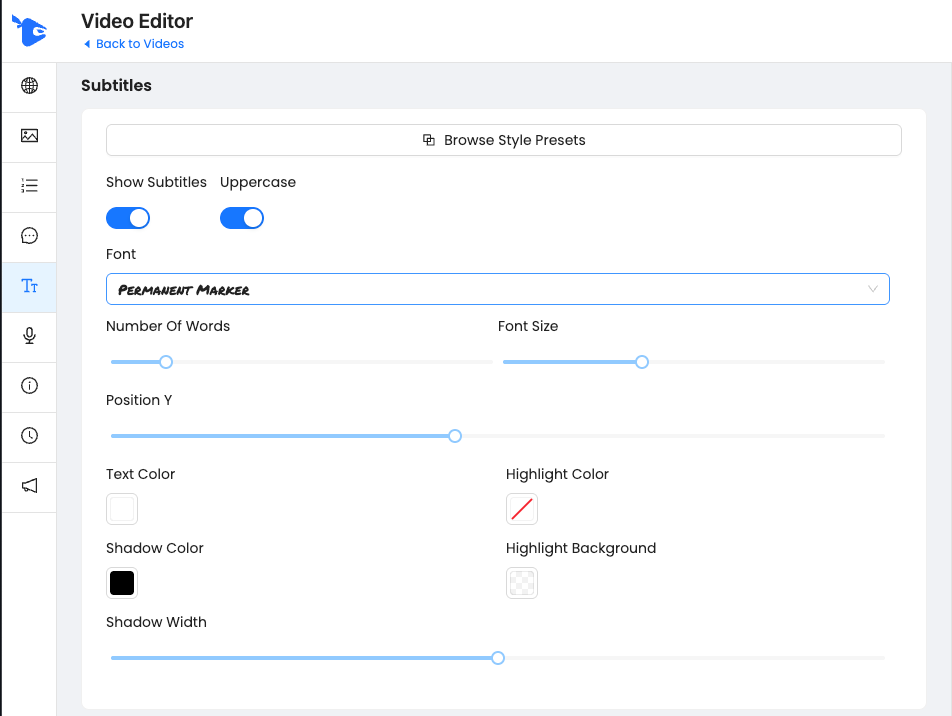
The Subtitles tab controls how your subtitles are visually styled. These are the classic captions shown in sync with your voiceover — and you can fully customize their appearance, position, and format.
🧰 What You Can Customize
Show Subtitles Toggle – Turn subtitles on or off
Uppercase Toggle – Make all subtitles uppercase automatically
Font Picker – Choose from various font styles
Font Size Slider
Position Y – Move subtitles vertically up or down
Text Color, Highlight Color, Shadow Color
Shadow Width
Number of Words per Caption – Controls how fast/slow subtitles appear
🎨 Style Presets
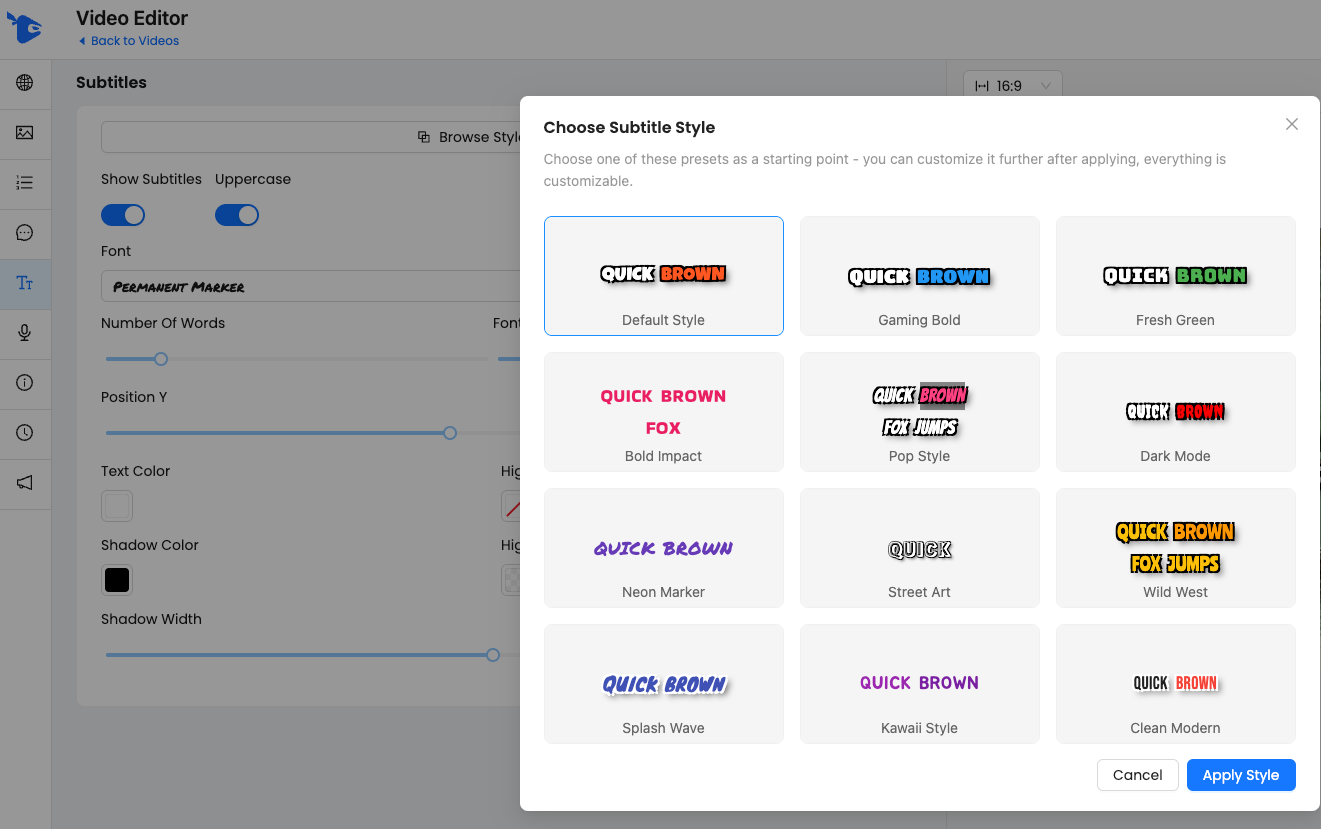
You can start with a visual preset and then modify anything further. Click Browse Style Presets to see options.
Styles include:
🧨 Gaming Bold
🍃 Fresh Green
🖍 Neon Marker
💥 Pop Style
🤠 Wild West
🧼 Clean Modern
🌈 Kawaii Style
... and more.
Just select a preset, then hit Apply Style.
Was this helpful?
Still need help? Ask the team