Thumbnail
The Thumbnail tab allows you to add a short, engaging intro at the very start of your video — perfect for grabbing attention on platforms like TikTok or YouTube Shorts.
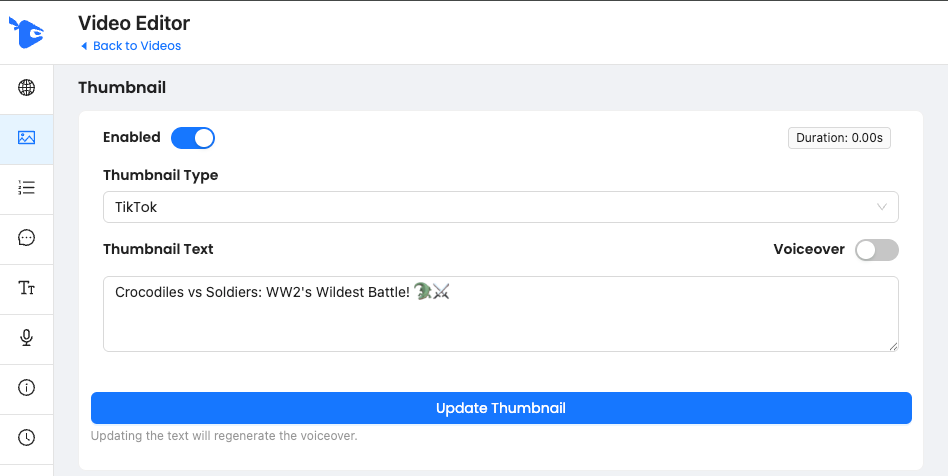
What It Does
Adds a 0–2 second intro scene before your main video starts
You can choose between different Thumbnail Types (like TikTok-style overlays)
Supports custom Thumbnail Text
Optionally includes voiceover narration for the thumbnail text
Can be enabled or disabled at any time
How to Use
Enable/Disable the thumbnail with the toggle
Select your Thumbnail Type
Enter your headline-style text (this will appear visually and, if enabled, be voiced)
Turn on Voiceover if you want the text read aloud
Click Update Thumbnail to apply changes
(Note: This will regenerate the thumbnail visuals and voiceover)
Best Practices
Use hook-style text to instantly capture attention
Example: “Crocodiles vs Soldiers: WW2’s Wildest Battle!”Keep it short and punchy (under 10 words is ideal)
Use emojis to boost visual appeal on mobile
Was this helpful?
Still need help? Ask the team